
A little scroll.
A lot of appetite.
You make the food unforgettable.
Let your menu do the same.

9:41
5G

ZHEN
Contemporary
Chinese Cuisine
Popular Dishes

Crab Roe
$26.00

"Dong Po" Braised Pork Belly
$28.00

Steamed Cod with Black Bean Sauce
$32.00 / $59.00

Braised Beef Noodles
$19.00
Cold Appetizer
6 items
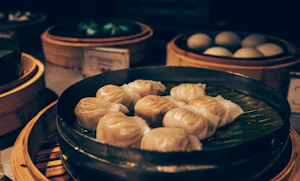
PAN-FRIED PORK DUMPLINGS
$9.00
WOOD EAR MUSHROOMS
$8.00

CHILI SURF CLAM
$15.00

SICHUAN BANG BANG CHICKEN
$19.00

TRUFFLE CHICKEN
$21.00

CHILI CRUNCH CUCUMBER
$7.00

Hot Appetizer
12 items
FRIED TOFU
$9.00

SALT & PEPPER CALAMARI
$18.00

CHICKEN CARTILAGE WITH MALA BBQ
$11.00

EGG PANCAKE WITH SHRIMP
$15.00

Dim Sum
10 items
SHRIMP HARGOW
$8.00
PORK & SHRIMP SIU MAI
$8.50

CHEF RECOMMENDED
CRISPY SHRIMP RED RICE ROLL
$9.50
CHEF RECOMMENDED
LOTUS LEAF STICKY RICE WITH ABALONE
$10.50

House Specialty
6 items
CHEF RECOMMENDED
GARLIC PRAWNS
$24.00

Good food deserves
more than a PDF.
Let your dishes
Something good is waiting.
bitelib.link/demoOne scan.
Straight to the good stuff.
A QR code on the table. A link in your bio. Guests are in your menu before the conversation pauses.
Today’s special.
On the menu. Right now.

Butter croissantFlaky. Golden. Gone by noon.
Menu updatedA small link.
A whole lot of you.

RESTAURANTS
For the neighbourhood favourite.

CAFÉS
For the daily ritual.

BAKERIES
For the just-one-more.
Less setup.
More service.
- 01
Make yourself at home.
Create your account and add your restaurant’s name and details.
- 02
Bring on the good stuff.
Add categories, dishes, prices, and the photos or videos that make them shine.
- 03
Put it on the table.
Share your QR code or menu link. Your next guest takes it from there.
Good questions.
Simple answers.
What is BiteLib?
BiteLib is a digital-menu platform for restaurants, cafés, and food businesses. Add your dishes, prices, photos, and videos, then share your menu through a QR code or a direct link.
Do my guests need to download an app?
No. Your menu opens directly in their browser. Guests scan your QR code or tap your link and start browsing on their phone, tablet, or computer.
Can I add videos to my dishes?
Yes. Menu items support photos and short video loops, so guests can see the texture, preparation, and presentation of your food before deciding what to order.
What happens when I change a price or add a dish?
Update it in your dashboard and your live menu reflects the change. Your menu link stays the same, so there is no need to reprint your QR code every time your menu changes.
How do I share my menu?
Use your QR code on table cards, posters, or receipts. Share your menu link on Instagram, WhatsApp, or your website. The same menu is accessible from both.
Is it free to get started?
Yes. You can create an account and start building your digital menu for free. Add your restaurant details and dishes, then share your menu when you are ready.